Pool times for your start.gg crew

Create a private Circle around a start.gg tournament, share a view link or a join invite, and see every pool time in one place - yours and theirs. Reuse the same Circle for the next event.

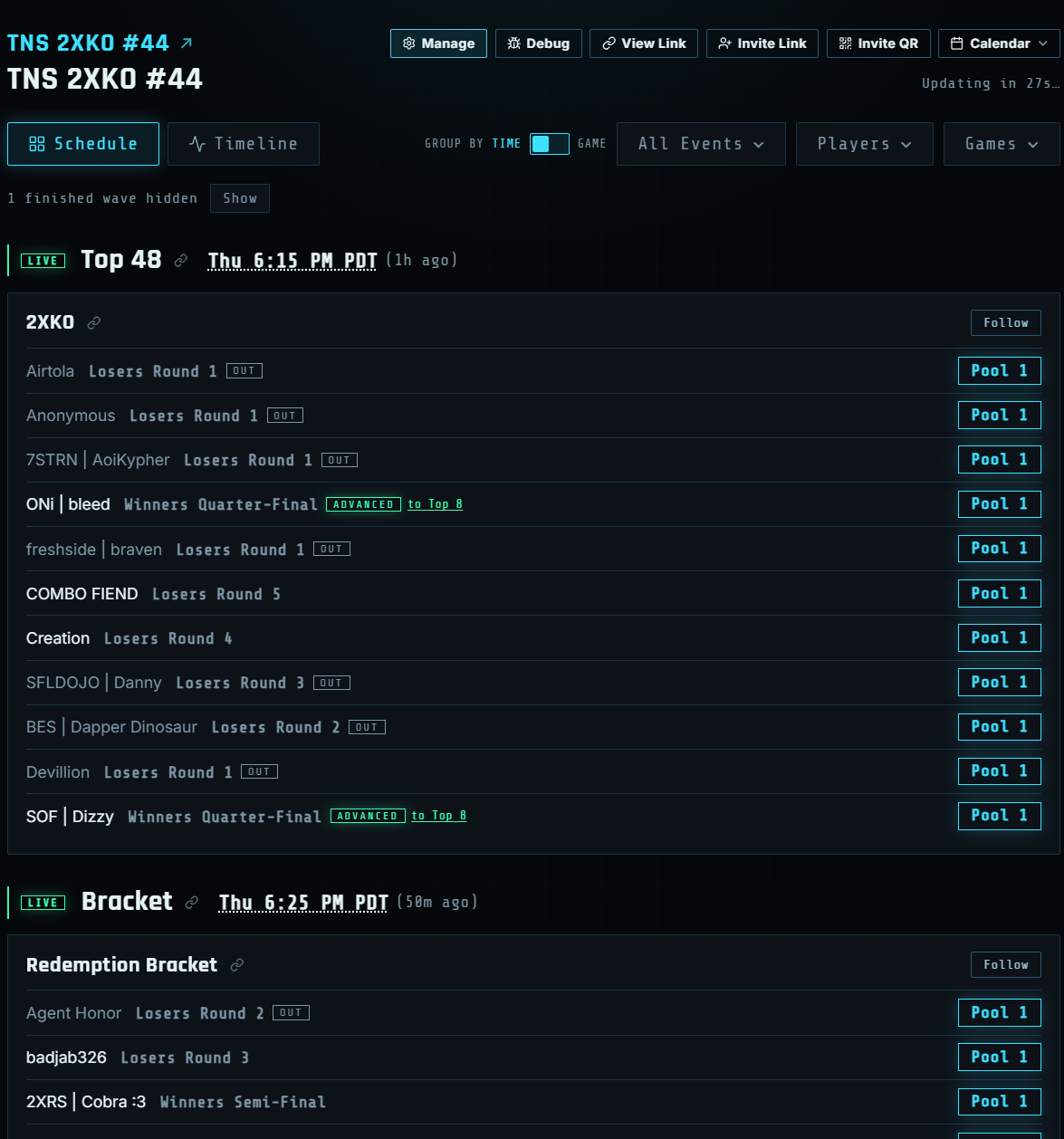
Circle schedule with live waves, rounds, ADVANCED, and Out badges

Circle

  • See when everyone in your group is playing, sorted by pool time and game
  • After a pool starts, each person shows the round they are in, and whether they advanced, went out, won, or got DQ’d
  • Narrow the list to one game, the events you follow, or just a few people
  • Share a view link, send a join invite (or QR), and add the pools to Apple or Google Calendar
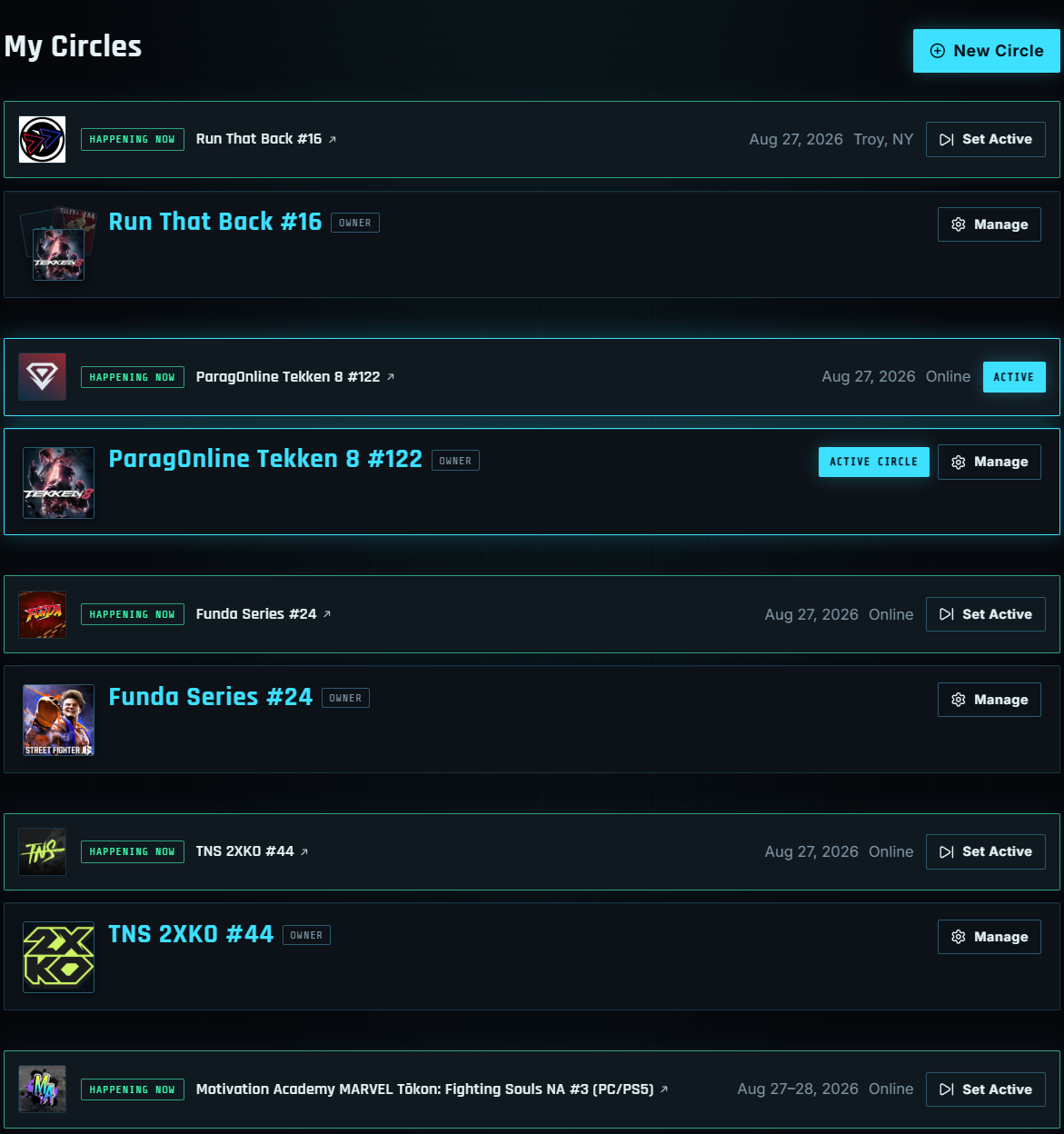
My Circles list grouped by start.gg event with art, dates, and Active Circle

My Circles

  • All the Circles you have joined, grouped under the start.gg tournament they are watching
  • Each event shows its art, dates, and whether it is happening now or still upcoming
  • Completed events sit in a collapsed Completed row below live and upcoming
  • When more than one event is live, pick which Circle shows as Active in the header
  • Archive a Circle when the weekend is over - the view link still works, it just leaves the main list
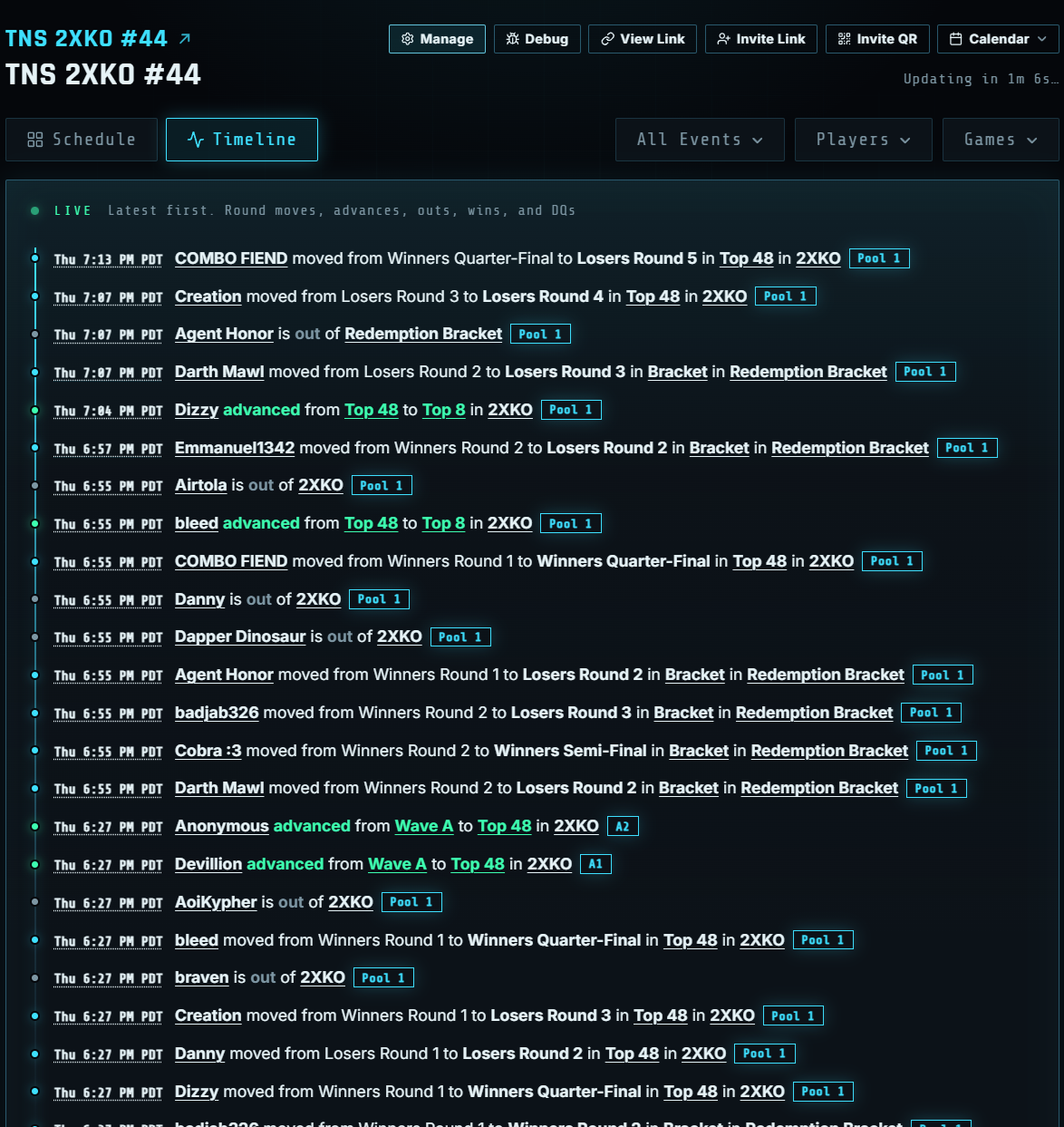
Timeline feed of advances, outs, and round moves

Timeline

  • A running log of who moved rounds, advanced, went out, won, or got DQ’d
  • Use the same game and player filters as the schedule so you only see your people
  • Tap someone’s name to open all of their pools
  • Each line ends with their pool badge, which opens that start.gg bracket
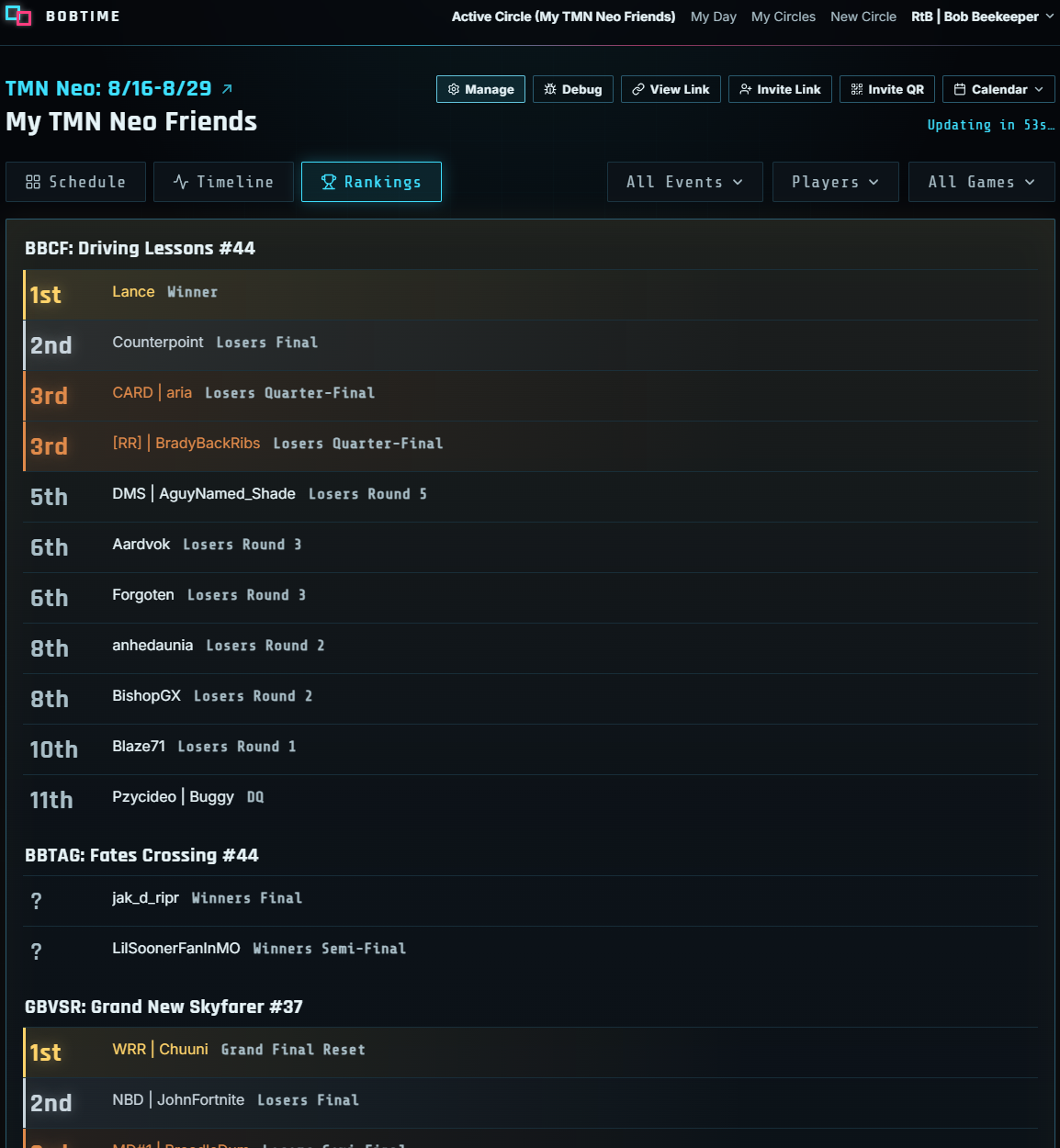
Rankings grouped by game with Circle place, medals, and current rounds

Rankings

  • How your crew is doing in each game, ranked by who won, who is still in, who is out, and who got DQ’d
  • Gold, silver, and bronze mark 1st, 2nd, and 3rd - a ? means they have not played yet
  • Each row shows their current round or result, like Winner, Winners Final, or Losers Round 5
  • Tap someone’s name to open all of their pools
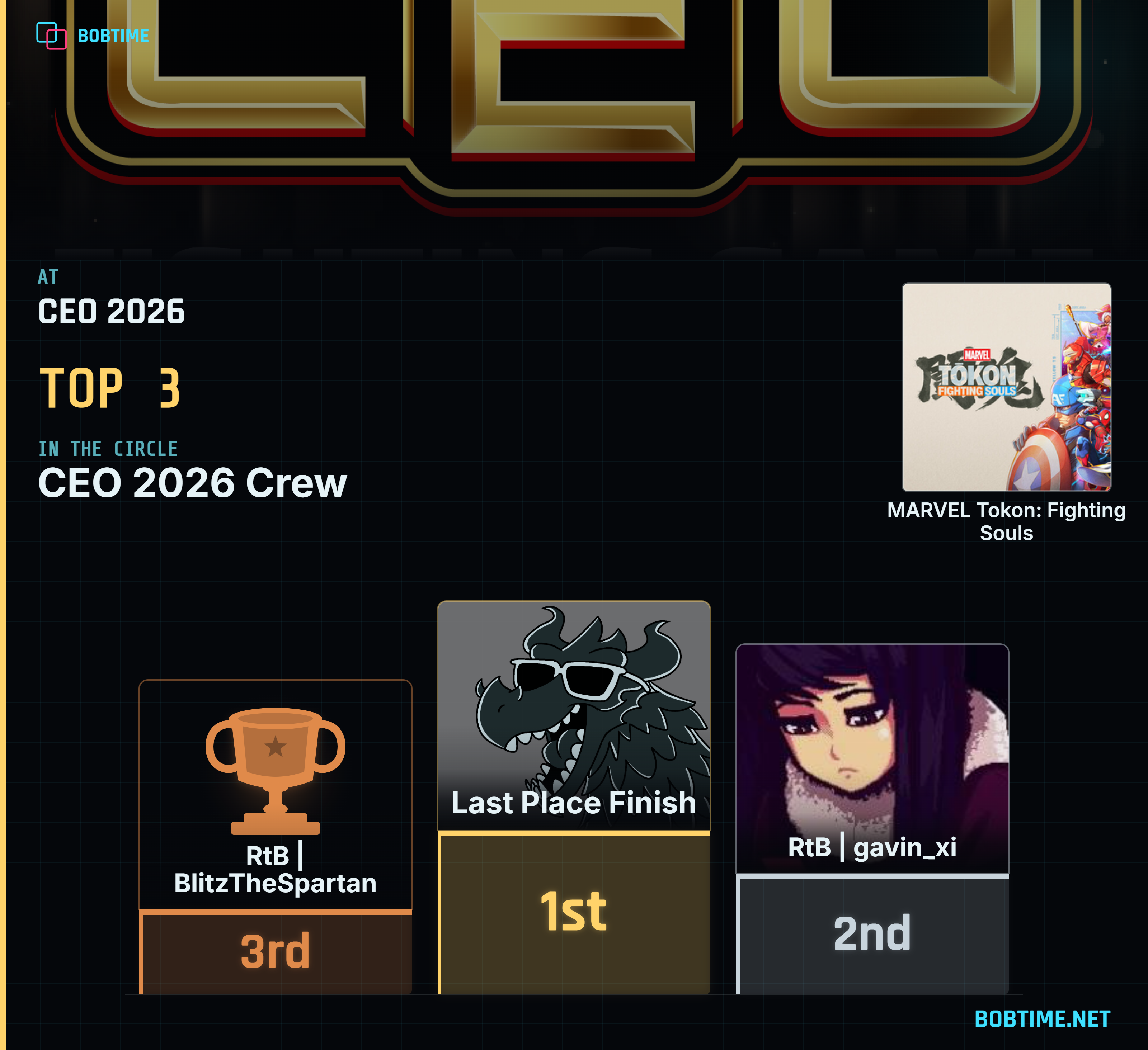
Top 3 podium banner with Circle 1st, 2nd, and 3rd, start.gg photos, and game art
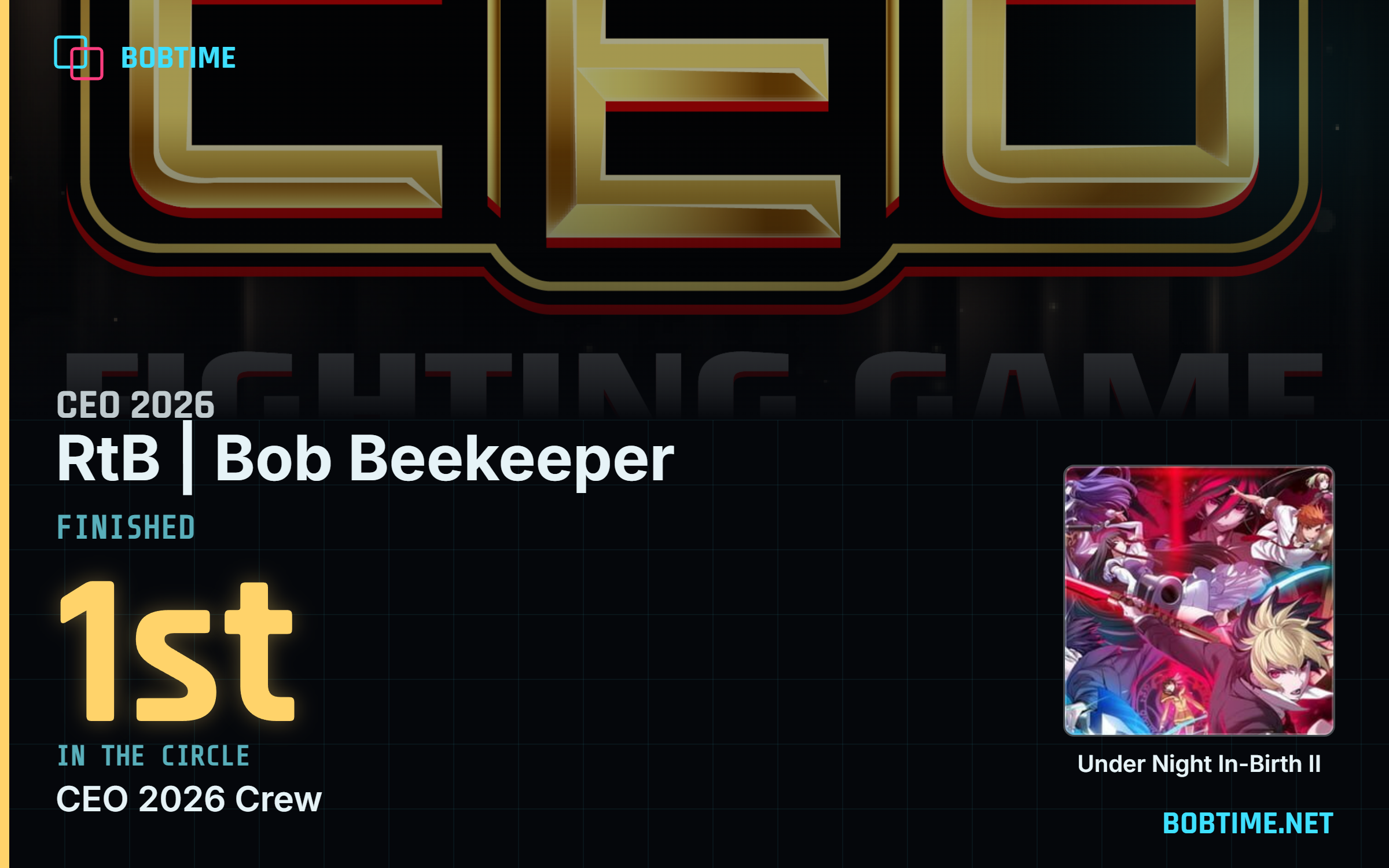
Placement card with player handle, Circle place, tournament art, and game

Share

  • In Rankings, click the "Top 3 Graphic" button on a game for a podium of 1st, 2nd, and 3rd in your Circle
  • Click someone’s Circle place for a card of their finish
  • Save the image, copy it, or share it!